

Student Guide to Accessing Virtual Classroom
HOW TO LOGIN TO THE VIRTUAL CLASSROOM
The virtual classroom is an online platform where students have their online classes.
- Open a browser (e.g chrome, safari …) and type vclass.kstu.edu.gh
It will load and ask you to sign in. Enter the KSTU email you were sent through SMS
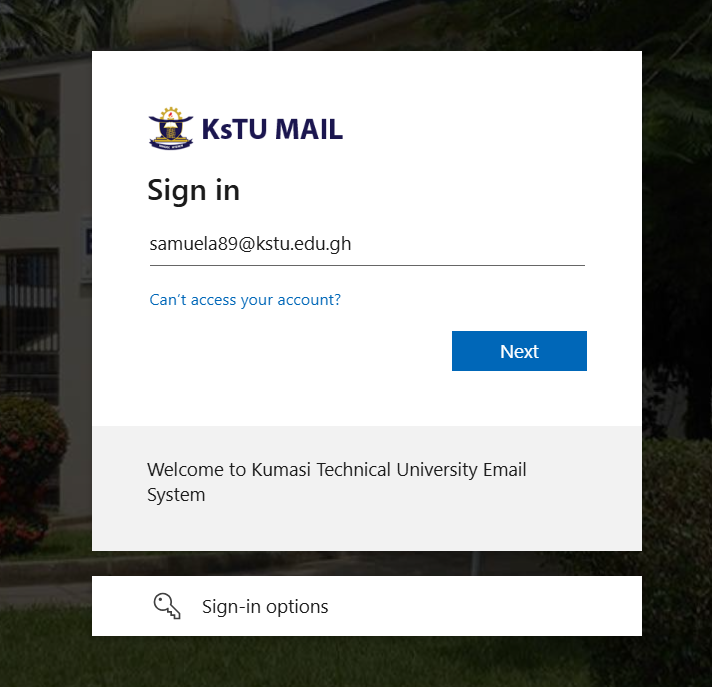
- Click next, enter the temporal password you received in the SMS and click sign in.
- If this is your first time logging in, you will get a page asking you to change the password.
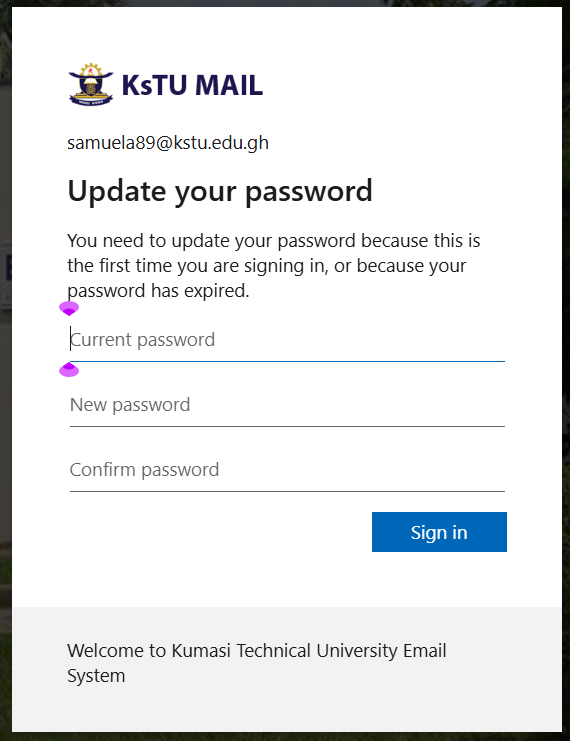
- Type the password in the SMS at current password and set a new password for yourself which you can now be using with the email, to access the vclass, connect to WIFI and even login to Microsoft email (outlook) and teams. The new password must be atleast 8 characters in length, have uppercase, lowercase and numbers and should not contain your name.
- Click sign in and proceed to click next, you are asked to verify your phone number with an SMS text code. Select Ghana and input your number then click next.
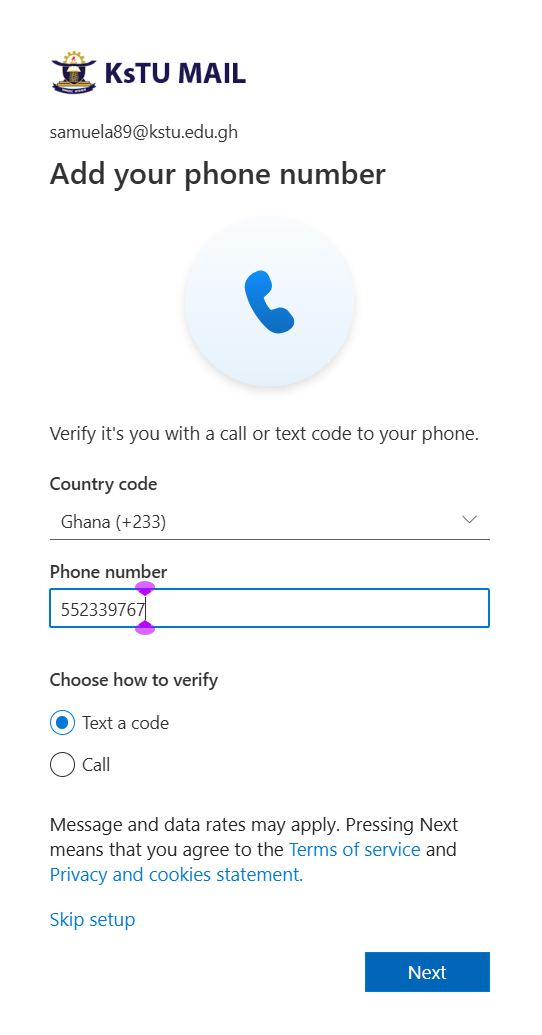
- Enter the SMS code you receive and click next. Continue to login to your dashboard.
- After successfully changing the password, you can now connect to the school WIFI with the same email and new password.
About KsTU
Kumasi Technical University was established in 1954 as Kumasi Technical Institute (K. T. I. ) to offer craft courses. In 1963, the Institute was converted to a non-tertiary Polytechnic status under the Ghana Education Service to start offering, in addition, technician diploma and sub- professional courses.
Contact info
Location: Kumasi - Ashanti Region, Ghana, W/A
Postal Address: P. O. Box 854, Kumasi
Email: info@kstu.edu.gh
Tel: Admissions: +233(0)322 496 534, +233(0)322 496 380